Envotek It Solution Services
Overview
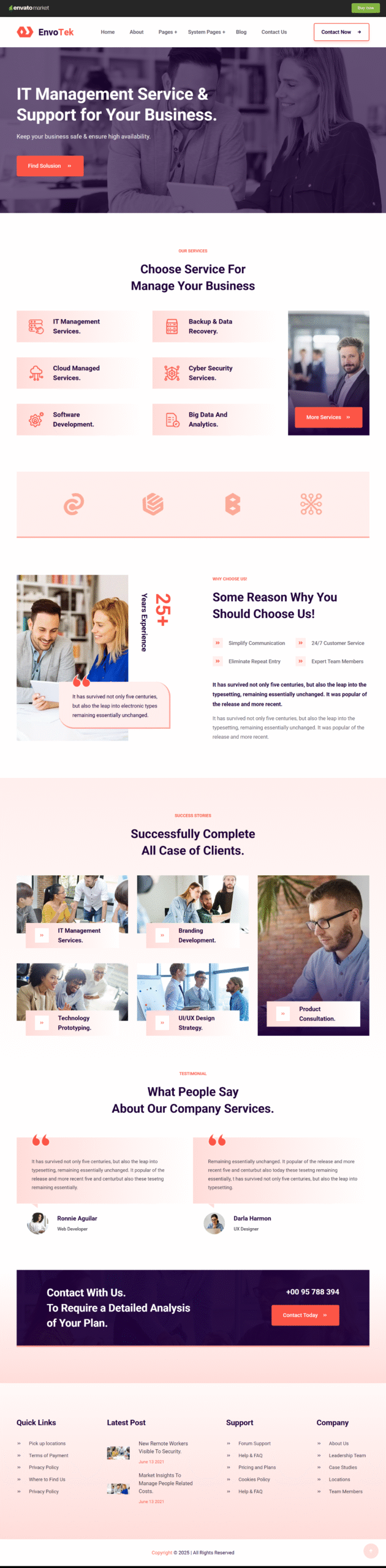
EnvoTek is a powerful and modern HubSpot theme crafted specifically for technology-driven businesses. It is an ideal solution for IT agencies, software companies, digital marketing firms, SaaS providers, startups, and technical consulting businesses looking to build a professional and high-converting website.
The theme offers a clean, unique, and corporate-ready design that helps showcase services, projects, and expertise with clarity and impact. Fully responsive and optimized for performance, EnvoTek ensures a seamless browsing experience across all devices and major browsers.
Theme Pages Included
- Home
- About
- Service Detail
- Project Detail
- Blog
- Blog Detail
- Contact
System Pages
- 404 Error Page
- 500 Error Page
- Membership Register
- Membership Login
- Subscription Confirmation
- Subscription Preferences
- Backup Unsubscribe
- Password Reset Request
- Password Reset
- Search Results
- Password Protected Page
Key Features
- Drag-and-drop page builder support
- Clean, professional, and unique UI design
- Fully responsive across desktop, tablet, and mobile
- Cross-browser compatibility
- Google Fonts integration with access to 600+ fonts
- Well-structured and easy-to-customize layout
- Detailed documentation included
- Reliable and responsive client support
- Regular updates and scalable design
- And much more
Files Included
- HTML Files
- CSS Files
- JavaScript Files
- Complete Documentation
EnvoTek is designed to help IT and digital businesses create a strong online presence quickly, efficiently, and professionally.
FAQs
1. Who can use the EnvoTek HubSpot theme?
EnvoTek is ideal for IT agencies, SaaS companies, software development firms, startups, digital marketing agencies, and technology-based service providers.
2. Is EnvoTek fully responsive?
Yes, the theme is 100% responsive and works seamlessly on desktops, tablets, and mobile devices.
3. Does the theme support drag-and-drop customization?
Absolutely. EnvoTek is drag-and-drop enabled, making it easy to customize layouts without any coding knowledge.
4. Are system pages included in the theme?
Yes, all essential system pages such as 404, 500, login, registration, password reset, and subscription pages are included.
5. I don’t have Elementor Pro — how can I use this template kit?
If you don’t have Elementor Pro and some sections require Pro widgets, you can use the ProElements project as an alternative. You can download it directly from here https://proelements.org
Installation Instructions
- Download: Click the download button above to get the .zip file.
- Import: In your WordPress Dashboard, go to Elementor > Tools > Import/Export Kit.
- Upload: Select the .zip file and follow the prompts to apply the design to your site.