Fotro Food Restaurant
Overview
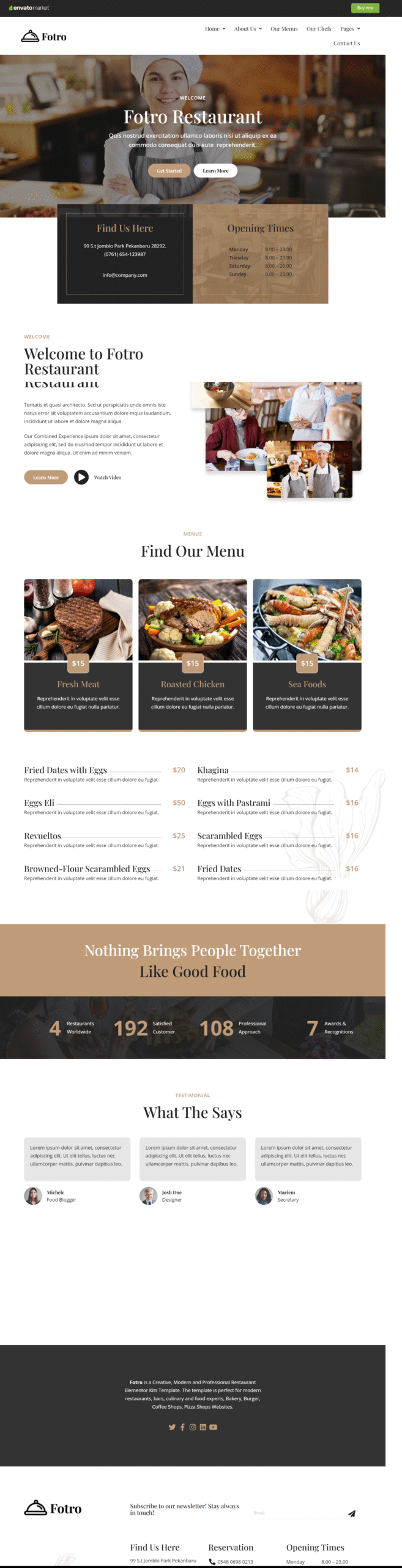
Fotro – Food & Restaurant Elementor Template Kit is a creative, modern, and professional website solution designed specifically for the food and hospitality industry. It is perfectly suited for restaurants, cafés, bars, bakeries, burger outlets, pizza shops, coffee shops, and culinary professionals looking to build a strong online presence.
Fotro features a beautifully crafted, unique design that enhances visual appeal and customer engagement. With a fully responsive layout, the template delivers a seamless browsing experience across all screen sizes and has been tested on major mobile and handheld devices to ensure consistent performance.
Included Templates
- Home 1
- Home 2
- Home 3
- Home 4
- About Us 1
- About Us 2
- Our Chef
- Our Menu
- Testimonial
- Contact Us
- 404 Error Page
- Header & Footer
- MetForm Contact
- Global Style
Required Plugins
- Elementor
- MetForm
- Ultimate Addons for Elementor Lite
Frequently Asked Questions (FAQ)
1. What is Fotro?
Fotro is a modern Elementor Template Kit for restaurants, cafés, bakeries, bars, and culinary professionals to create a professional website easily.
2. Which templates are included?
It includes Home (1–4), About Us (1–2), Our Chef, Our Menu, Testimonial, Contact, 404 Page, Header & Footer, and MetForm Contact.
3. Is Fotro mobile-friendly?
Yes, it’s fully responsive and works smoothly on all devices.
4. What plugins are needed?
You need Elementor, MetForm, and Ultimate Addons for Elementor Lite.
5. I don’t have Elementor Pro — how can I use this template kit?
If you don’t have Elementor Pro and some sections require Pro widgets, you can use the ProElements project as an alternative. You can download it directly from here https://proelements.org
Installation Instructions
- Download: Click the download button above to get the .zip file.
- Import: In your WordPress Dashboard, go to Elementor > Tools > Import/Export Kit.
- Upload: Select the .zip file and follow the prompts to apply the design to your site.