Getstall Grocery Store
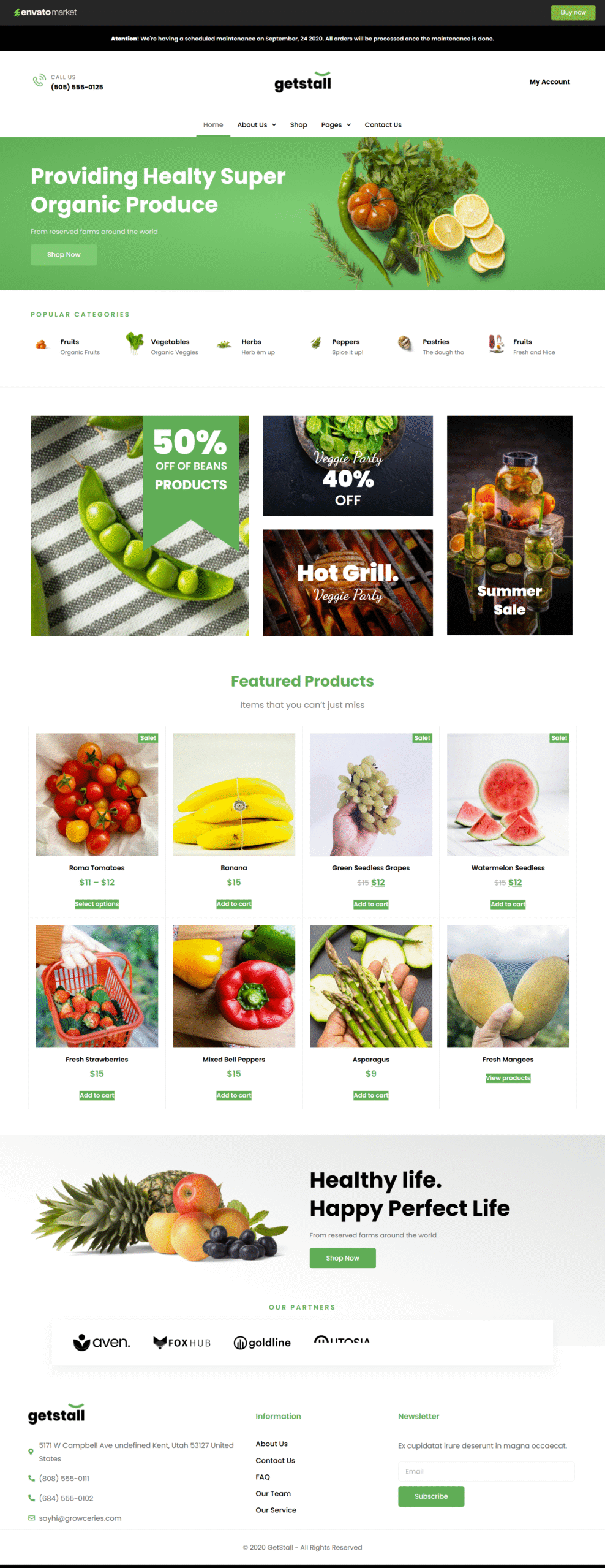
Overview
Launch your online supermarket in record time with Getstall, a comprehensive Elementor Template Kit designed specifically for WooCommerce grocery stores. Whether you are selling fresh produce, daily essentials, or specialty goods, Getstall provides a professional, high-conversion foundation that can be deployed in just minutes.
The kit features a curated collection of over 20 professionally designed pages and sections. Developed with Elementor Pro and utilizing integrated Theme Styles, Getstall ensures a consistent brand identity across your entire store while offering the flexibility to customize every detail via a drag-and-drop interface.
Template Inventory
- Core Pages: Homepage, About Us, Our Service, Single Page, and custom 404 Page.
- WooCommerce Essentials: Optimized Shop Archive, high-converting Single Product layout, and a sleek Product Grid.
- Content & Blog: Blog Archive and Single Post layouts for organic marketing.
- Global Elements: Site-wide Header and Footer.
- Pre-built Sections: Page Hero, Page Title, Story Section, Our Team, Partners, FAQ, Contact, and high-impact Call to Action (CTA) blocks.
- Social Proof: Multiple Testimonial section variations.
Software Requirements
To unlock the full potential and styling of this kit, the following plugins must be active:
- Elementor (Free version)
- Elementor Pro (Required for WooCommerce integration and Theme Styles)
- WooCommerce (For store functionality)
Frequently Asked Questions (FAQs)
1. Is Getstall a WordPress theme or a Template Kit?
Getstall is an Elementor Template Kit. It is not a standalone theme. It is a collection of pre-designed layouts that you import into your WordPress site using the Elementor plugin.
2. Is Elementor Pro mandatory to use this kit?
Yes, Elementor Pro is required. The kit utilizes advanced features like the Theme Builder for headers, footers, and WooCommerce-specific pages (Product and Archive pages) that are only available in the Pro version.
3. Can I use Getstall for stores other than groceries?
Absolutely. While the design and imagery are optimized for grocery and food niches, the flexible layout and Elementor framework allow you to easily adapt the kit for any retail or eCommerce niche.
4. How long does it take to set up the website?
With the Getstall kit, you can have a fully designed store structure ready in just a few minutes.
5. I don’t have Elementor Pro — how can I use this template kit?
If you don’t have Elementor Pro and some sections require Pro widgets, you can use the ProElements project as an alternative. You can download it directly from here https://proelements.org
Installation Instructions
- Download: Click the download button above to get the .zip file.
- Import: In your WordPress Dashboard, go to Elementor > Tools > Import/Export Kit.
- Upload: Select the .zip file and follow the prompts to apply the design to your site.