Your Creative Side: Customizing Your WordPress Theme Made Easy
As a WordPress user, you know that your website’s theme plays a crucial role in its overall look and feel. But what if we told you that you don’t need to be a coding expert to create a fully customized, professional-looking website? That’s right – with the right tools and a little know-how, you can unlock the full potential of your WordPress theme without ever touching a single line of code.
The Problem: Feeling Limited by Your WordPress Theme
It’s a common scenario – you’ve found the perfect WordPress theme, but as you start to build your website, you realize that the theme’s out-of-the-box options just don’t quite fit your vision. You’re stuck trying to make do with limited customization options or resorting to complex coding solutions that can be time-consuming and frustrating.
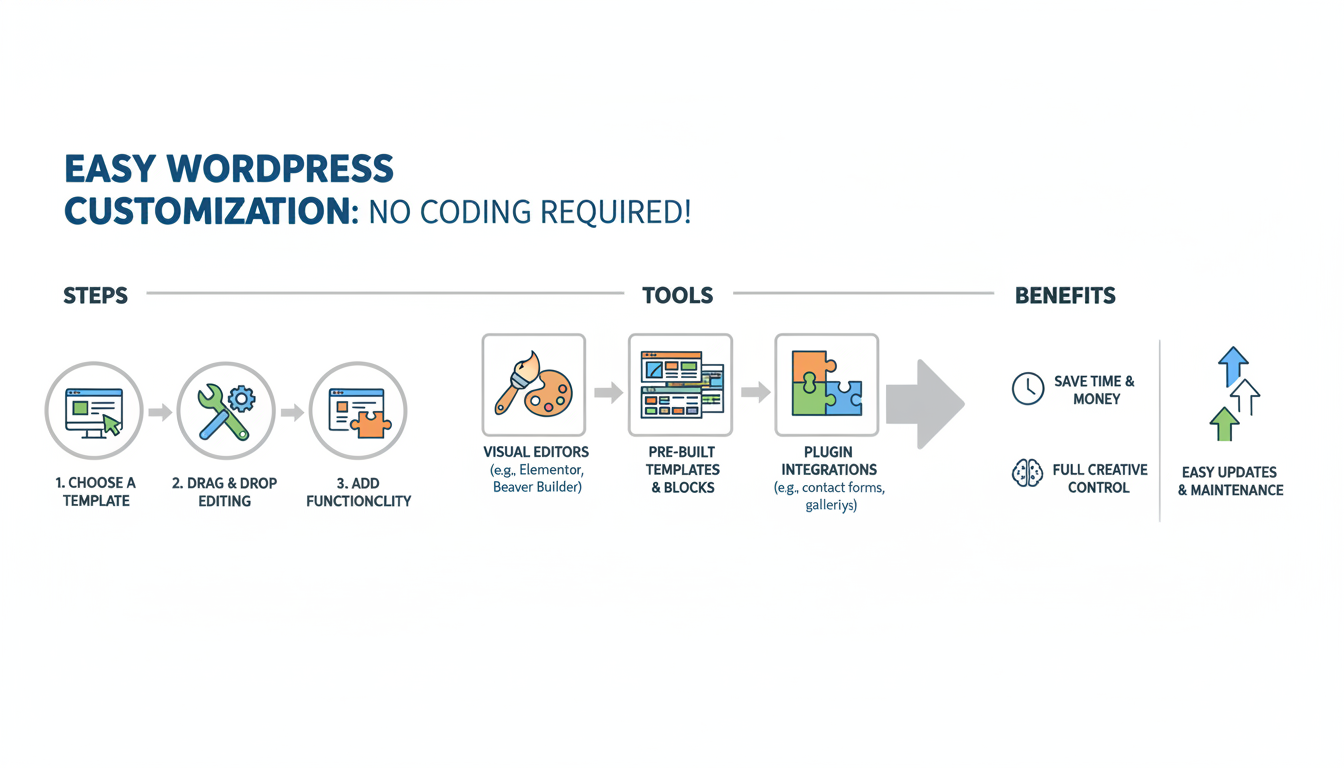
Visual Breakdown
The Solution: Unlock Your Theme’s Full Potential
But fear not, fellow WordPress enthusiast! There are now more tools and resources than ever before to help you customize your WordPress theme like a pro, even if you have zero coding skills. From powerful page builders and drag-and-drop editors to pre-built templates and intuitive theme settings, the possibilities are endless.
Introducing the Ultimate WordPress Theme Customization Toolkit
1. Page Builders and Drag-and-Drop Editors: Tools like Elementor and WPBakery allow you to easily create and customize your website’s layout, content, and design elements without writing a single line of code. Simply drag and drop your way to a stunning, fully customized website.
2. Pre-Built Templates and Theme Settings: Many WordPress themes now come with a wealth of pre-designed templates, customizable theme settings, and intuitive options that let you change everything from colors and fonts to header and footer layouts – all with just a few clicks.
3. Widgets and Custom Content Sections: Utilize the power of widgets and custom content sections to add dynamic elements like image galleries, call-to-action buttons, and more to your website, without having to code them from scratch.
4. Visual Editors and Live Preview: With the help of the WordPress Theme Customizer and live preview features, you can make changes to your site’s appearance in real-time, ensuring that your customizations look exactly how you want them to.
5. Plugin Integrations: Enhance your website’s functionality and design by leveraging plugin integrations that seamlessly connect with your WordPress theme, allowing you to add features like e-commerce, SEO optimization, and social media integration.
Step-by-Step Guide to Customizing Your WordPress Theme
1. Explore Your Theme’s Customization Options: Start by familiarizing yourself with the various customization tools and settings available within your WordPress theme. Look for page builders, drag-and-drop editors, pre-built templates, and theme-specific settings.
2. Experiment with Visual Editors and Live Preview: Use the WordPress Theme Customizer to make changes to your site’s colors, fonts, layouts, and more. Take advantage of the live preview feature to see your customizations in real-time.
3. Leverage Widgets and Custom Content Sections: Add dynamic and visually appealing elements to your website by utilizing the power of widgets and custom content sections, such as image galleries, calls-to-action, and testimonials.
4. Integrate Powerful Plugins: Explore the vast ecosystem of WordPress plugins to enhance your website’s functionality and design. Look for plugins that seamlessly integrate with your theme, adding features like e-commerce, SEO optimization, and social media integration.
5. Unleash Your Creativity: Don’t be afraid to experiment and try new things. With the right tools and a little bit of creativity, you can transform your WordPress site into a truly unique and visually stunning online presence.
Unlock Your Website’s Potential: Start Customizing Your WordPress Theme Today
Gone are the days when customizing your WordPress theme required extensive coding knowledge. With the powerful tools and resources available, you can now unleash your creative side and build a website that truly reflects your brand and vision – no coding required.
So why settle for a generic-looking website when you can create something truly one-of-a-kind? Start exploring the customization options in your WordPress theme and unlock the full potential of your online presence today.